
Biophilia Tracker: Headphones as sensor, BioRod first
- winni
- April 04, 2026
- 226
- 0
- 0
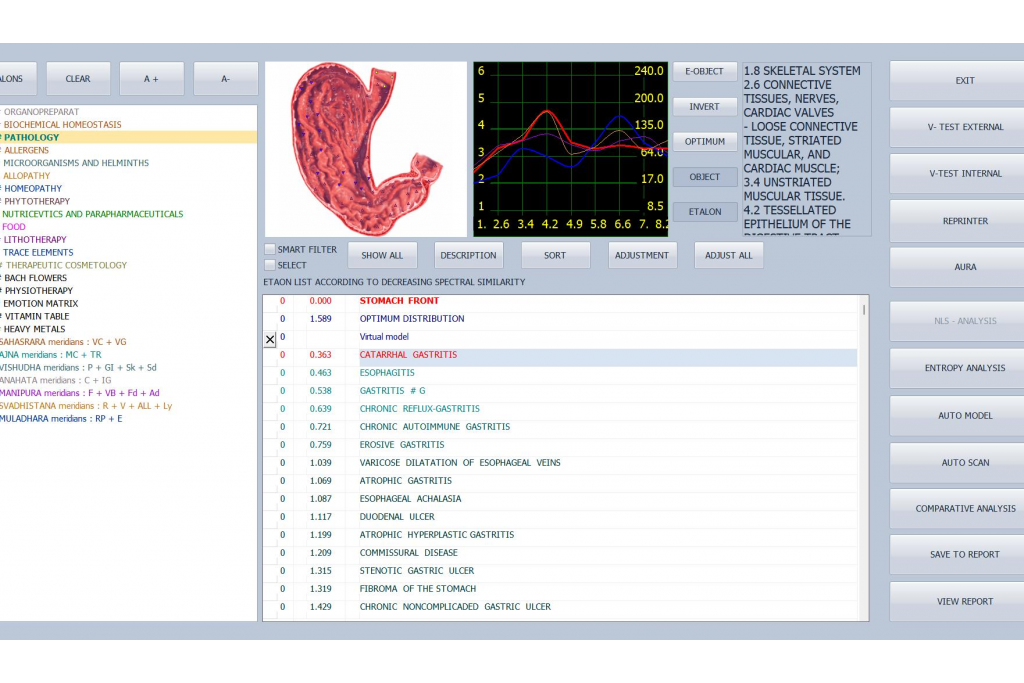
The first time I used the Biophilia Tracker X5 ULTRA, I was surprised: the sensor is actually a pair of headphones.
Yes, not what I expected. The "sensor" on this device is a regular pair of headphones (over‑ear style). When you wear them during the test, the software reads your body’s bio‑resonance signals. But before the actual test, you also need to use a small rod called the BioRod to prepare your body. What is it and how does it work? Let me explain step by step.
Step 1: Use BioRod to “balance” your system
Many testing devices just start measuring right away. This one is different. Before testing, I hold the BioRod (a small metal/resin rod included in the kit) quietly for 5-10 minutes. Its job is to help temporarily balance my blood and energy – bringing my body into a more “neutral” state so that the following scan results are more stable and accurate.
For me, it’s like stretching before a workout. An extra step, but it feels scientific.
Step 2: Put on the headphones (the sensor) and start the scan
After the BioRod prep, I put on the headphones. They aren’t for listening to music – they act as a bio‑feedback sensor. The software sends weak electromagnetic oscillation signals through the headphones, and my body’s electrophysiological responses are sent back through the headphones. The whole process is non‑invasive, painless, radiation‑free, and takes about 20-50 minutes.
The scan covers all 12 major systems of the body (cardiovascular, digestive, endocrine, nervous, musculoskeletal, etc.) and hundreds of organs. The report shows not only the current status but also health trends for the past and next 3‑5 years. For example, if it indicates that an organ’s cell vitality is declining, I know I need to adjust my lifestyle or diet early.
Step 3: Test your supplements and food
Have a bunch of supplements at home but don’t know which ones are right for you? The device has an item analysis function. Place a supplement inside the resonance chamber or point the sensor at it – the system will tell you whether it is beneficial, harmful, or useless to your organs. I’ve saved a lot of money by following the results.
Step 4: Spectrum repair – helps relieve minor pains
The device also has a spectrum repair mode. Wherever you feel discomfort (e.g., sore neck and shoulders), select the corresponding area in the software and start the therapy. Again, you wear the headphones (the sensor is working). It emits specific frequencies to assist with repair. The manual says it’s “especially suitable for pain point repair.” In my experience, it really helps relieve fatigue and minor aches.
More about the BioRod
Some users ask: can I skip BioRod and test directly? Yes, but the results are more consistent when you use it. It’s like a tuning fork – it calibrates your body’s “strings” before the music plays. My personal advice: don’t skip it. It only takes 5-10 extra minute.
Simple hardware: headphones + BioRod + main unit
The package includes: Tracker controller, headphones (sensor), BioRod, resonance chamber, USB cable, USB disk, dongle, Bio‑inductor covers, aluminum case. The software is free to upgrade and works on Windows 7 to Windows 11. 3‑year warranty.
Who is it for?
People who hate needles, blood draws, and long waits
Those interested in bio‑energy healing and natural therapies
Owners of wellness centers, beauty salons, health food stores (to add value for clients)
Anyone who wants to objectively screen supplements and avoid wasting money
My honest take
At first I thought “wearing headphones for a health check” sounded strange. After a few uses, it feels natural. BioRod to balance, headphones to sense, software to report – the whole process gives me a clearer picture of my body.
Biophilia Tracker X5 ULTRA is not a replacement for a hospital, but it’s a great daily health management assistant. If you’re curious about your own 3‑5 year health trends, go to the official website and request an online demo (via AnyDesk) – try it yourself.